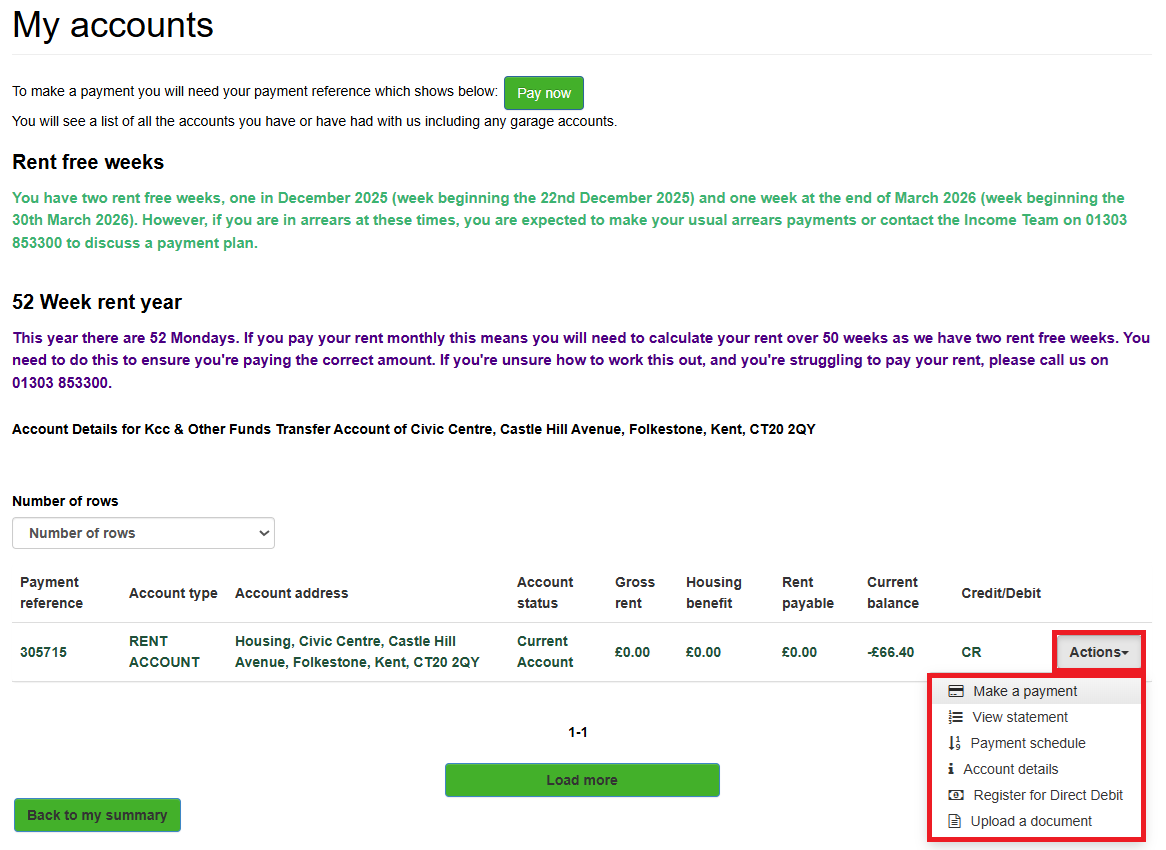
View my rent account, make a payment or setup a direct debit
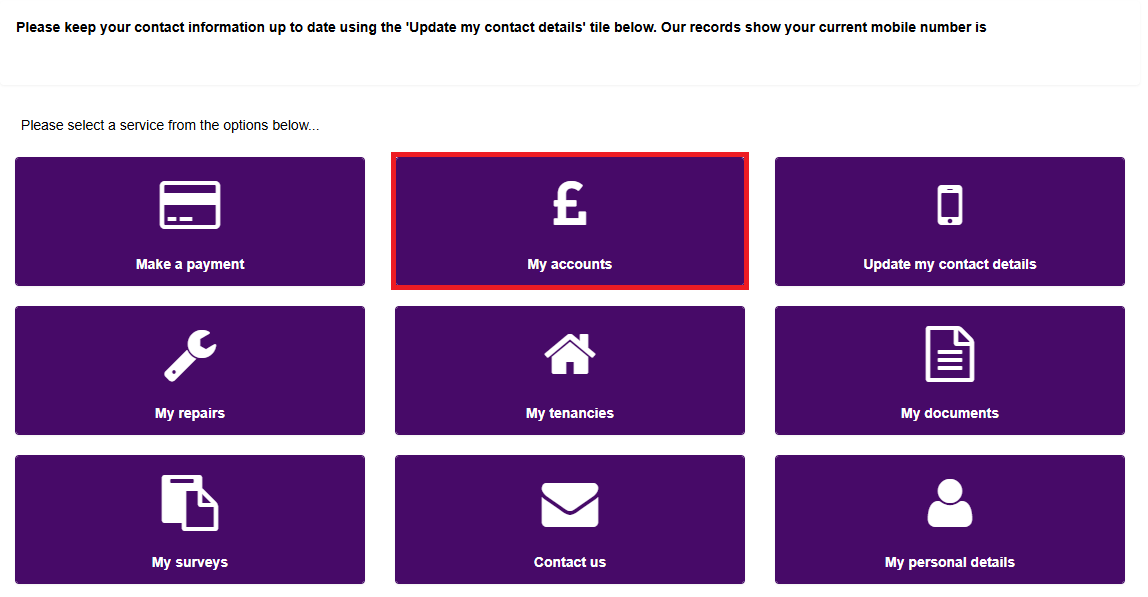
Log into the Housing Online portal, then click on 'My accounts', highlighted below:
Log in to the Housing Online portal
Click on the 'Actions' button, highlighted below, to make a payment, view your statement, payment schedule, account details, register for a direct debit or upload a document.